jmeriaux
This user hasn't shared any biographical information
Homepage: http://ngc1976.org
Spring sky – 2009
Posted in Astrophotography, Deep sky objects on May 24, 2009
Some pictures taken for San Bruno, CA – highly polluted site close from the SFO airport.
Telescope: Orion 102ED, with Canon XTi Digital Rebel, and Orion auto guider.
I used a Bahtinov Mask to focus the DSLR, and an Orion Skyglow anti-pollution filter. Pictures were processed with MaxDSLR and Painshop Pro.
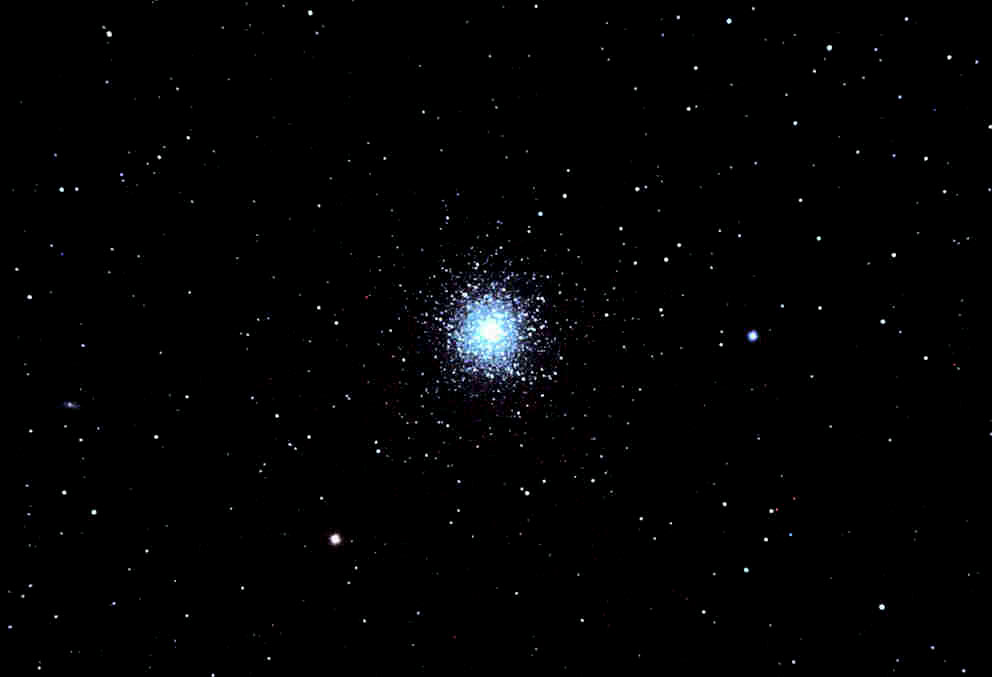
M13 – 5/17/2009 – Stack of 8 images – 90 sec. exposure
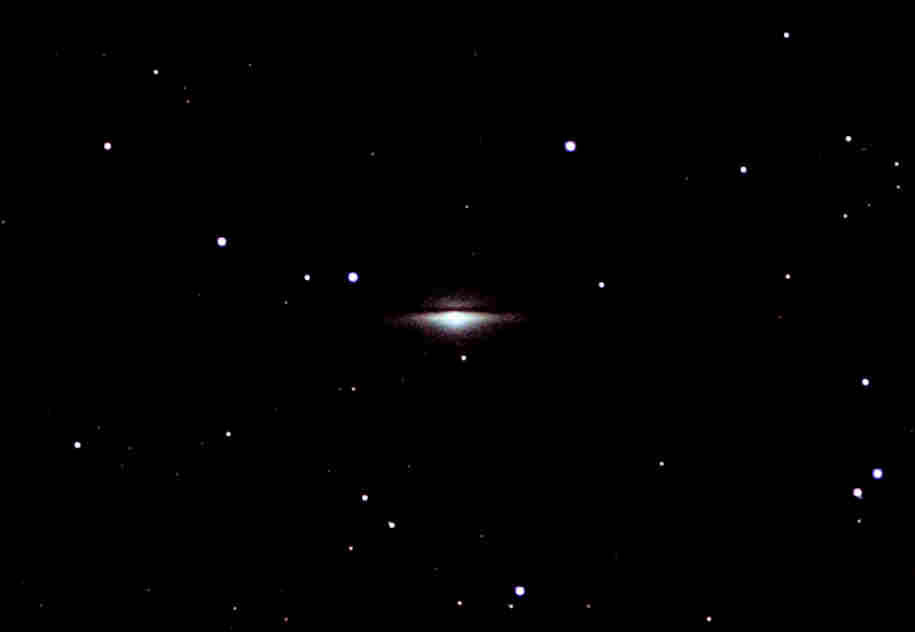
m104 (Sombrero Galaxy) – 5/16/2009 – Stack of 8 images – 2.20 min exposure
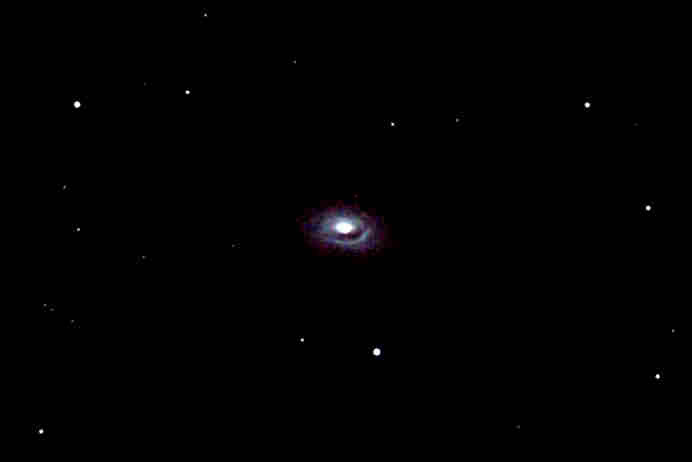
m64 – Black eye’s galaxy – 5/17/2009 – Stack of 7 images – 2.20 min exposure
Solar System: Saturn in March/April 2009
Posted in Planets on April 11, 2009
I took this picture of Saturn on 3/30/2009 with my Celestron CST 9″1/4 OTA. The rings are at about 3 degrees of inclination. This picture is a stack of 45 frames processed with Registax V5. Turbulence was noticeable at 150x. The scope was roughly collimated using “Bob’s knobs”.
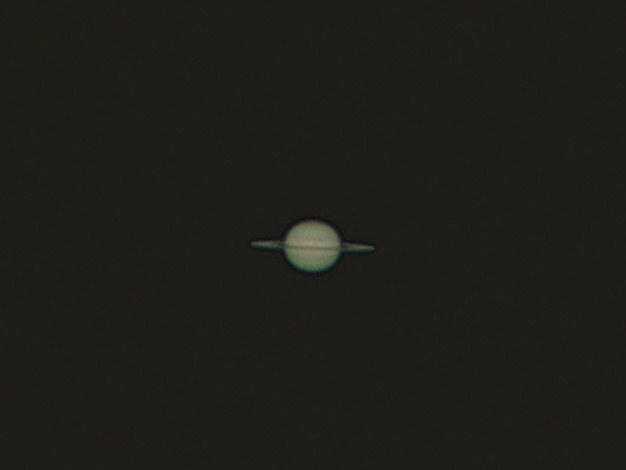
I took this picture of Saturn on 4/4/2009 with the same configuration. This picture is a stack of 90 frames processed with Registax V5. Turbulence was noticeable at 150x. The cassini’s division can be guessed – even though it does not appear clearly. The scope was roughly collimated using “Bob’s knobs”.

Deep sky object imaging – focusing using a Bahtinov mask
Posted in Articles, Do it yourself on April 11, 2009
I tried different techniques to bring in focus my Canon XTi,
Even by taken series of short exposures and using the preview / zoom functionality of the DSLR camera I found issues and results were not completely satisfactory.
I found mention of the Bahtinov mask on different blog post – and decided to give it a try.
The Bahtinov mask was built in-house for my orion 102ED using Bahtinov’s mask free templates posted on this web site
The materials used for building the mask can be found in stores such as Office depot,
I used a black plastic portfolio. Use a portfolio not too thick, that can be easily cut using a paper cutter – but rigid enough to be used as a mask. Using adhesive, the template (printed from my computer on Letter format) was glued on the portfolio plastic sheet. I used a DVD plastic box as a cover to secure the mask on the 102ED optical tube.
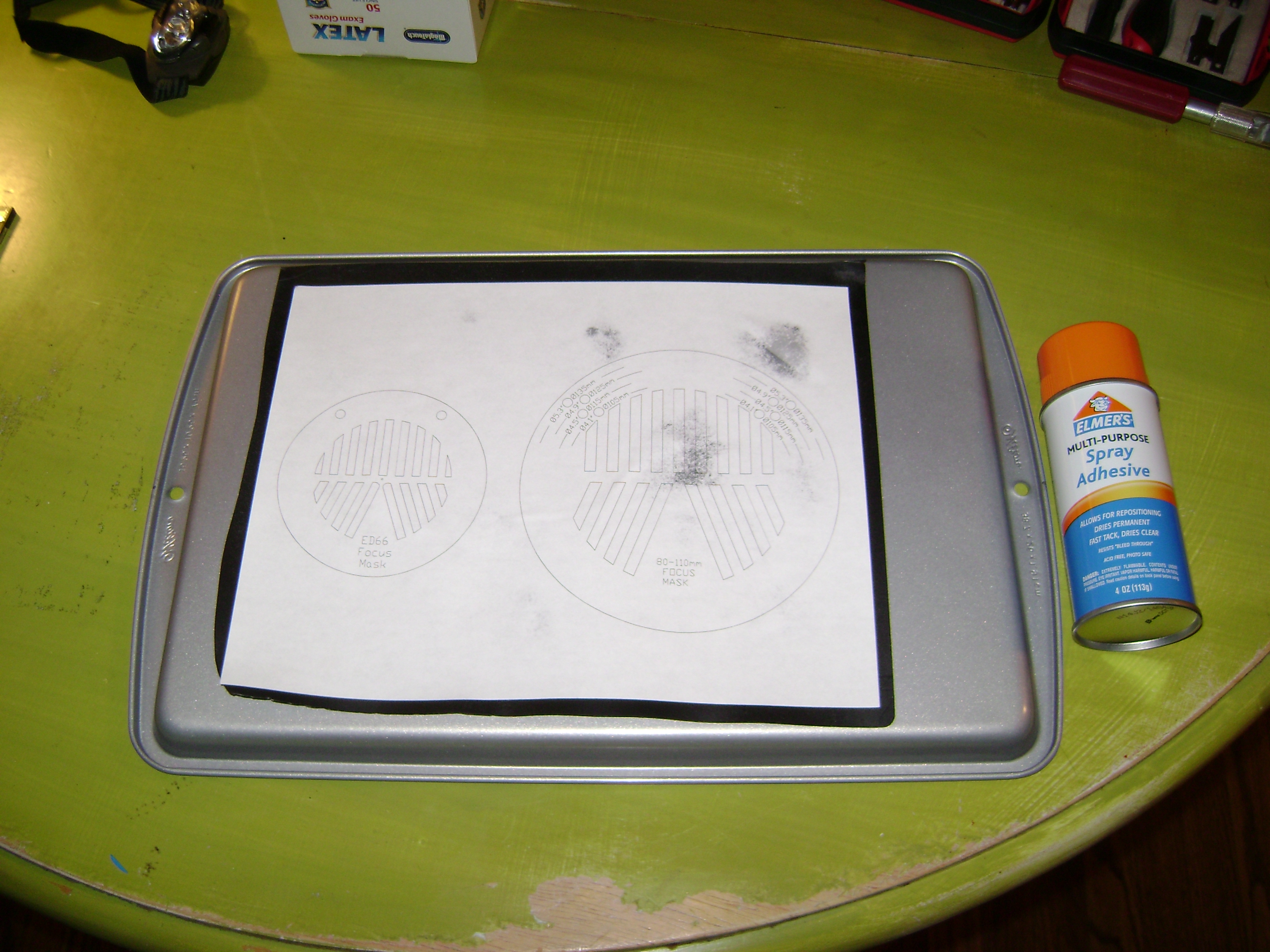
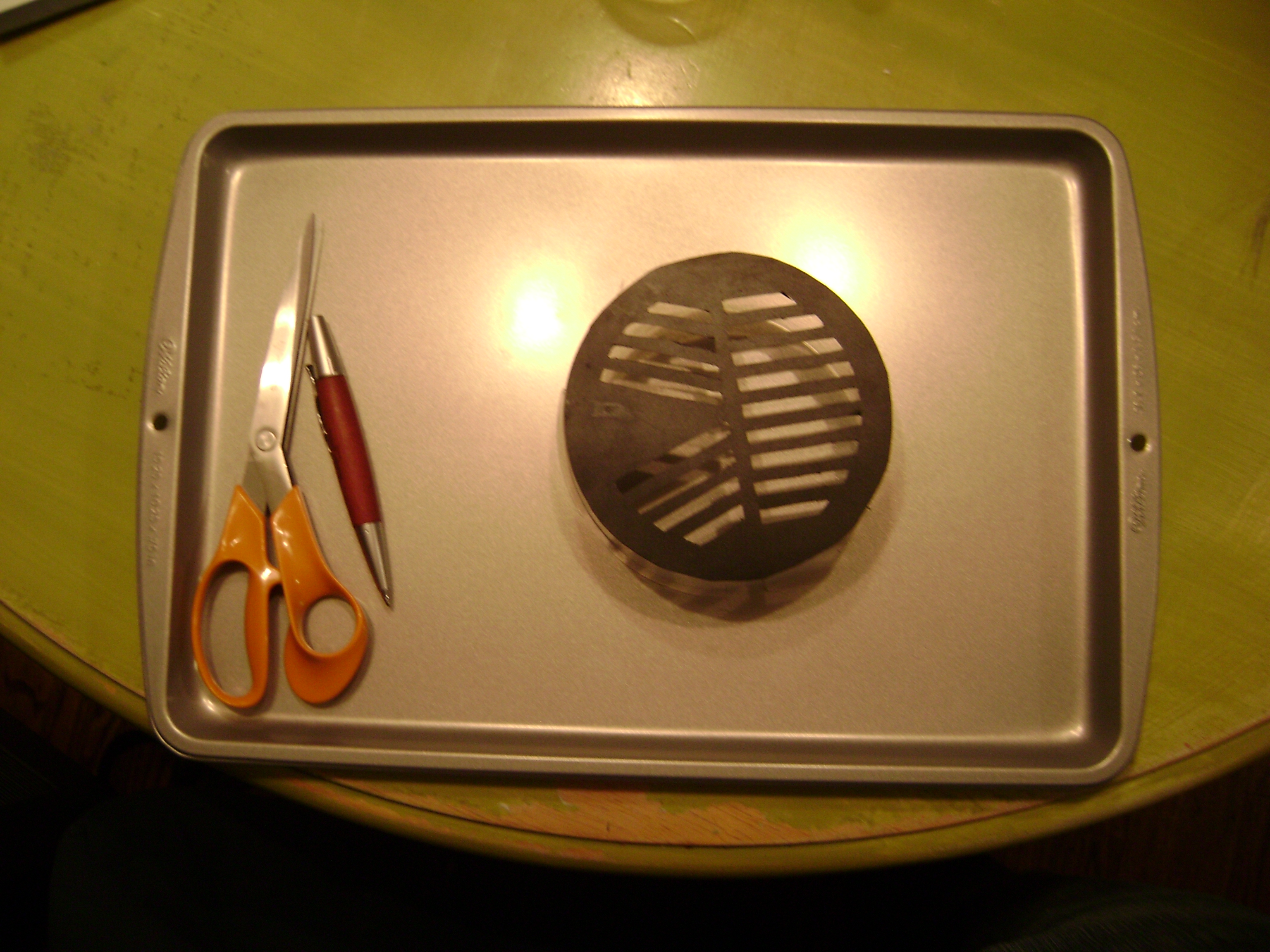
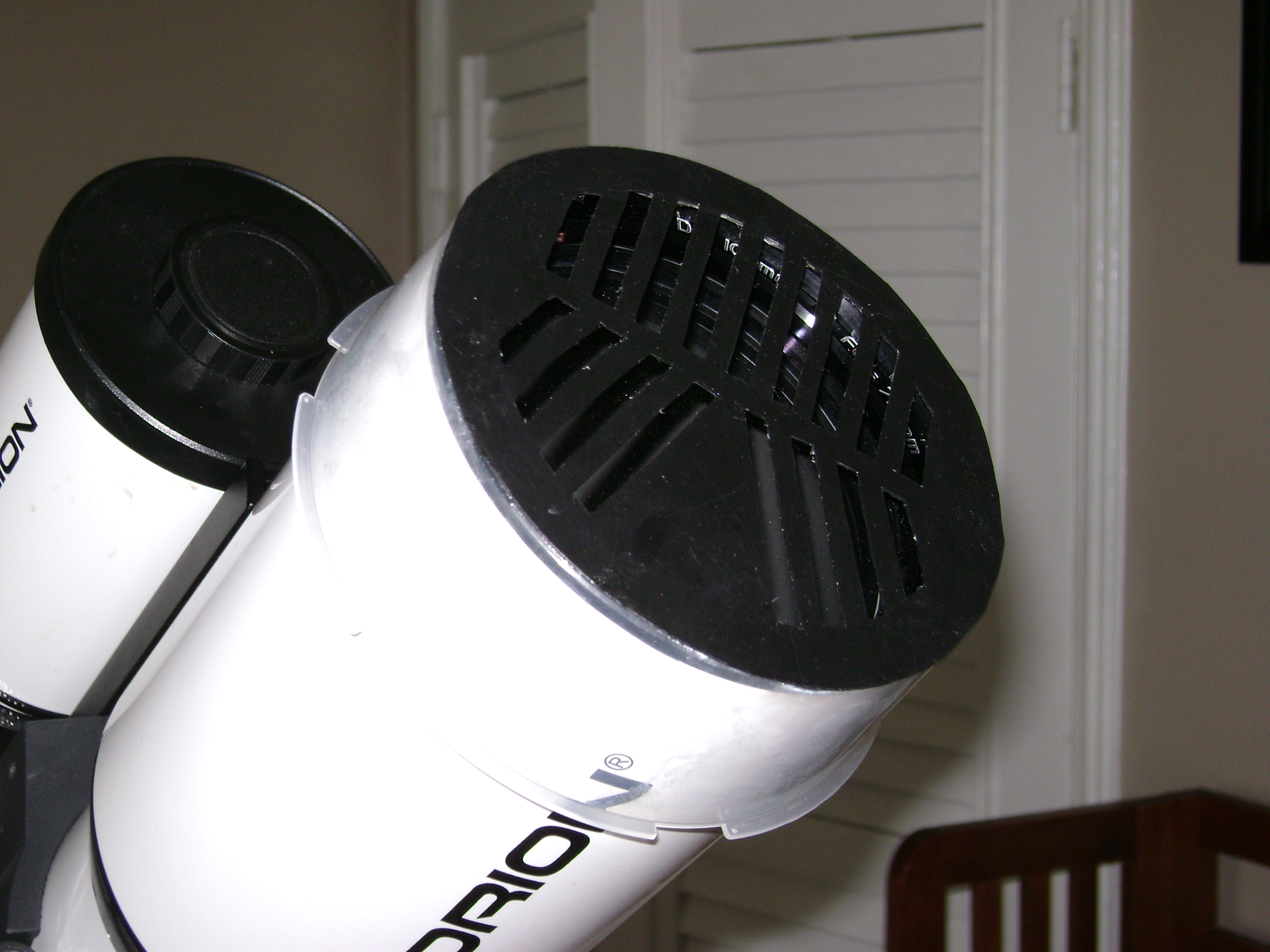
The way to bring the camera in focus is simple. The basic principle is the same as without the mask – doing an approximate in-focus first using the view finder – then tweak the in-focus by using short exposure and the preview mode of the camera – with the Bahtinov mask in front of the optical tube.
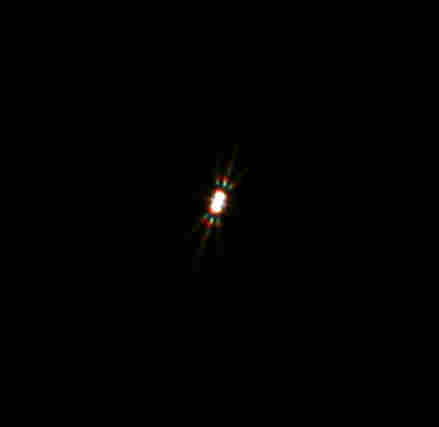
Below are pictures from Betelgeuse. The left picture is a 3 sec. exposure and shows Betelgeuse out of focus. The right picture is in focus. When in focus, the diffraction spikes are symmetrical with a easy to recognize pattern.
Betelgeuse – 3 sec. exposure – out of focus (left) and in focus (right)
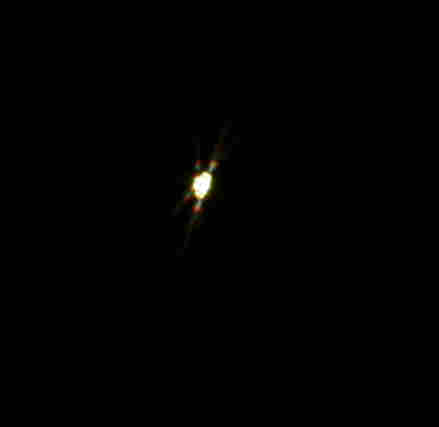
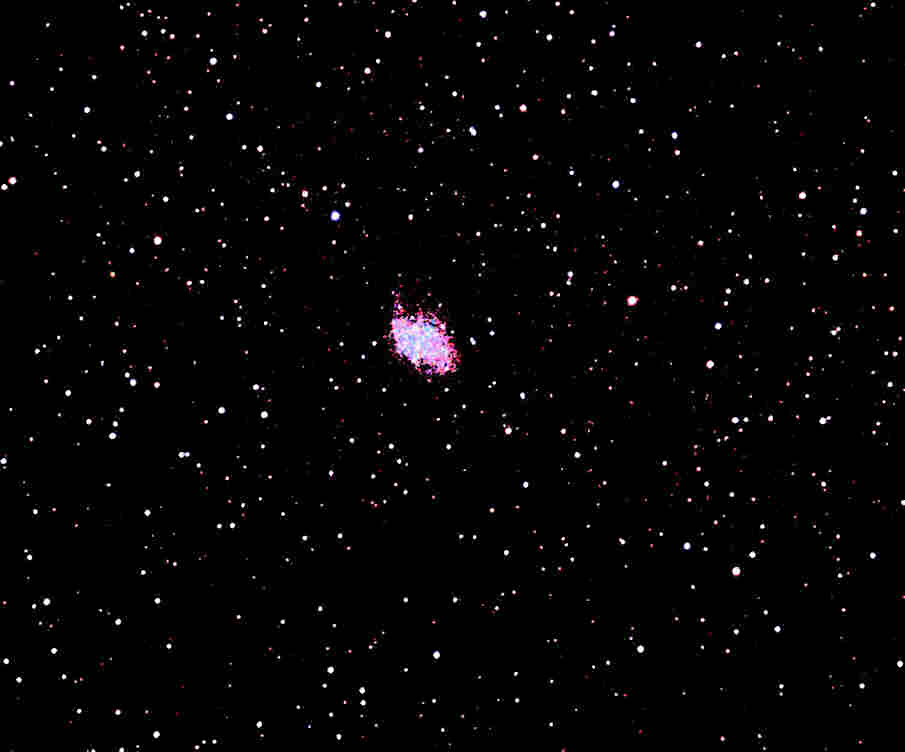
Here are some pictures taken using the mask for focusing. The picture was shot in San Bruno, CA in a very light polluted sky – using the Orion SkyGlow anti-pollution filter and a Canon Digital Rebel XTi DSR Camera. Focus on M1 was made using approximately 6 shots on 3 sec. each on Betelgeuse. In this astrophoto session on 3/27, Focus was not changed during 2h where a total of 5 deep sky objects were shot using multiple short time exposures.
Picture of M1 – 3/27/2009
Moon pictures, and considerations about collimation…
Posted in Moon on March 22, 2009
I took a couple of pictures of the Moon with my Celestron 9″1/4 schmidt-cassegrain and was quite satisfied with the result, compared to other pictures taken later in November.
Pictures taken on 2/1/2009 by 8.30 PM PST, with Orion Startshoot solar system imager II, and processed with Registax and Painshop Pro.
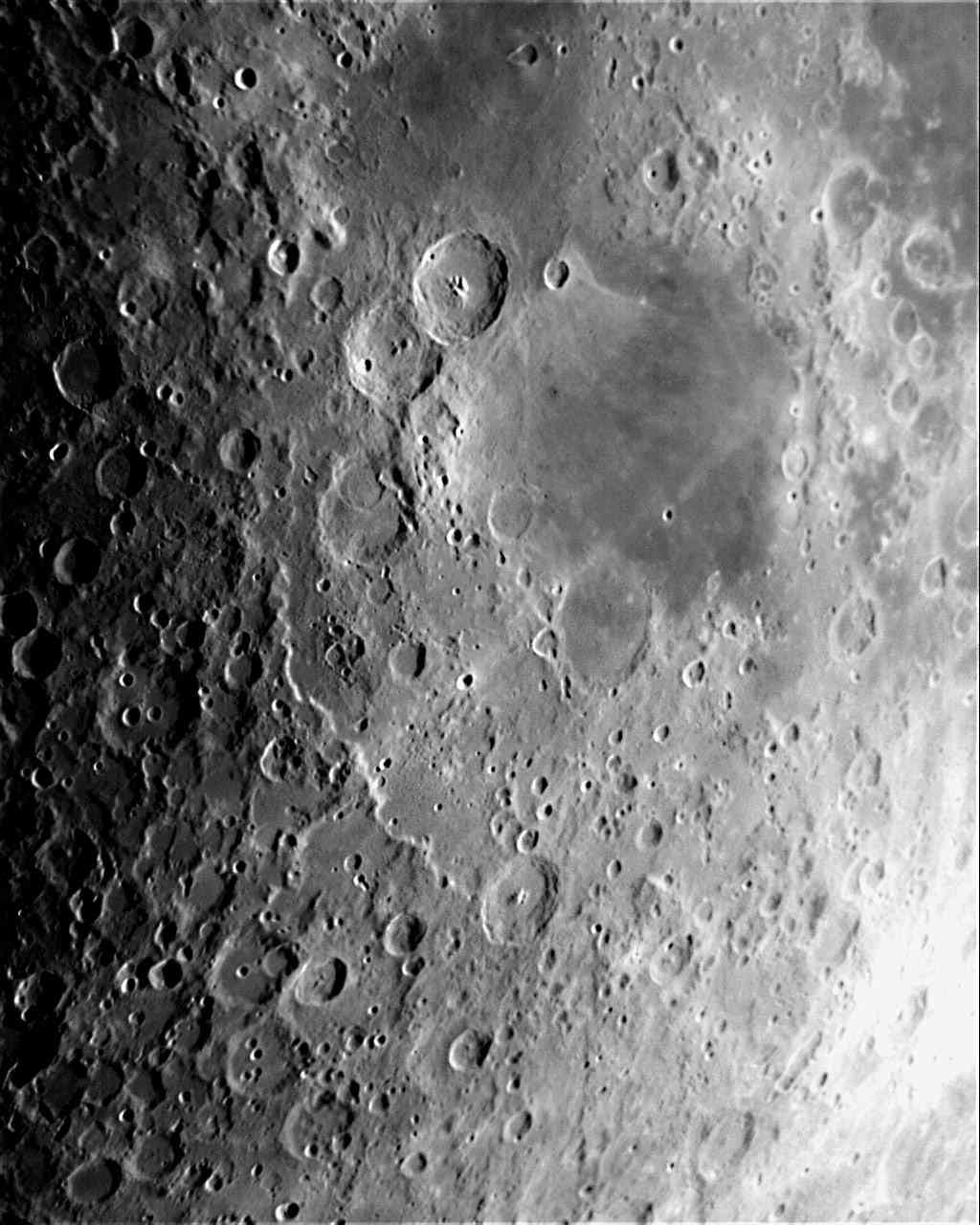

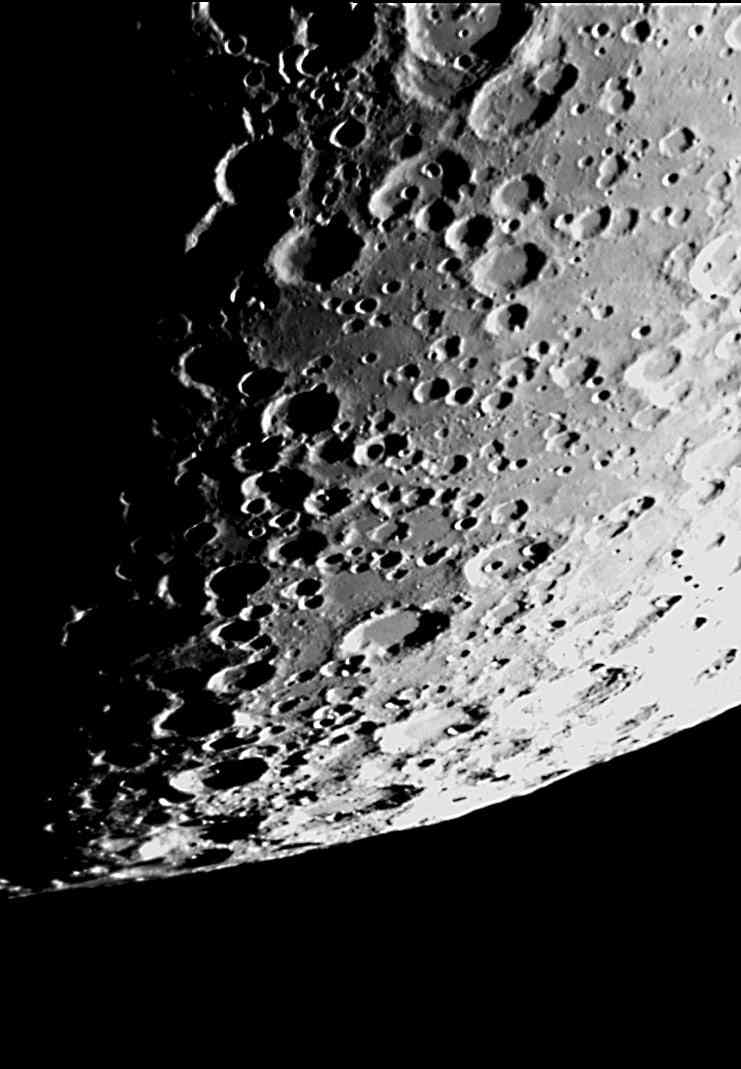
Besides ok conditions, collimation made here the difference. I clearly noticed that a poor collimation combined with turbulence seems to worsen quality of images. Seeing conditions being equal – even with turbulence – a better collimation will very significantly increase the image quality.
Check the very comprehensive page of Thierry Legault on the impact of collimation on image quality.
I recently bought Bob’s knobs collimation thumbscrews, and it allows me to quickly collimate my SCT (looking in the eyepiece and at the same time moving the screws to achieve collimation…).
I looked at many threads / forum discussing laser collimation tools and it seems no collimation tool is perfect. Star collimation is quite fast with Knobs on the secondary of the SCT and allows to achieve an acceptable collimation even if seeing condition are not perfect. And the price of collimation knobs has nothing to do with pricey’s laser collimation tools…
Pictures of Messier 42 object under light polluted site
Posted in Astrophotography, Deep sky objects on December 15, 2008
Astrophotography of deep sky objects is quite challenging in a highly light polluted area. The nearest dark site from where I live is a two-hour drive and I cannot really make it very often. That’s why I try out techniques to take Deep Sky Object pictures in light polluted site … Fortunately with DSLR cameras, light pollution Filters, and Image processing, there are some ways of making some interesting pictures. I’ll post my experiment and findings…
Given the name of this Blog, the place of honor should come to M42 – the “Great Nebula”. It is also a very easy object to work with. Even in a light polluted site it is (almost) visible with the naked eye.
I took Pictures of M42 with the Orion Eon 72mm and Orion 102ED. The pictures were taken from San Bruno, CA (near the San Francisco airport) and I used a light pollution filter (Orion SkyGlow Imaging Telescope Filters 2″) for the 102ED shots.
Orion M42, M43 and NGC1977 with Orion Eon 72mm
Taken on 11/30/2008 at 11.30pm PST: stack of 12 frames of 120sec each with Canon XTi – 400 asa – processed with Max DSLR and Corel Paintshop. With Corel Paintshop I used the “Histogram adjustment” and “Unsharp Mask” tools to increase contrast and brightness. The picture had to be cropped as the Eon 72mm shows some serious coma at the edge of the image… But for a $350 scope the result is not bad (black friday’s promotion at Orion). I am thinking of using it as a grab-and-go scope, a wide field astrophotography scope, and even for taking daylight pictures.
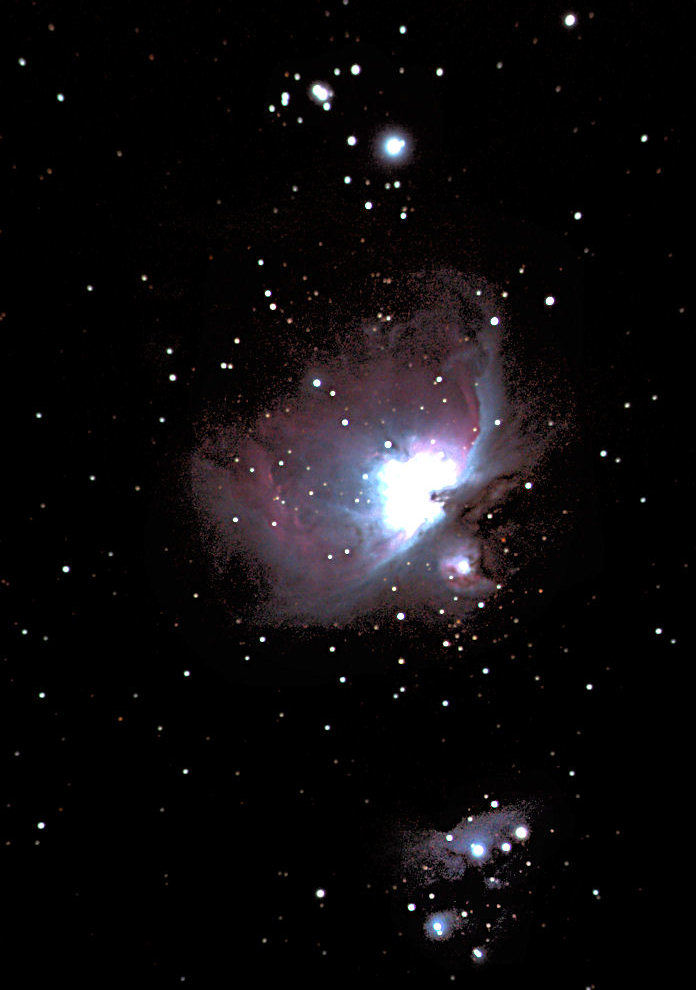
I used the mount tracking (Sirius EQ-G) – no guidescope. With such a short focal and short exposure time, guided scopes are not a hard requirement, if you do a great polar alignment of your telescope mount.
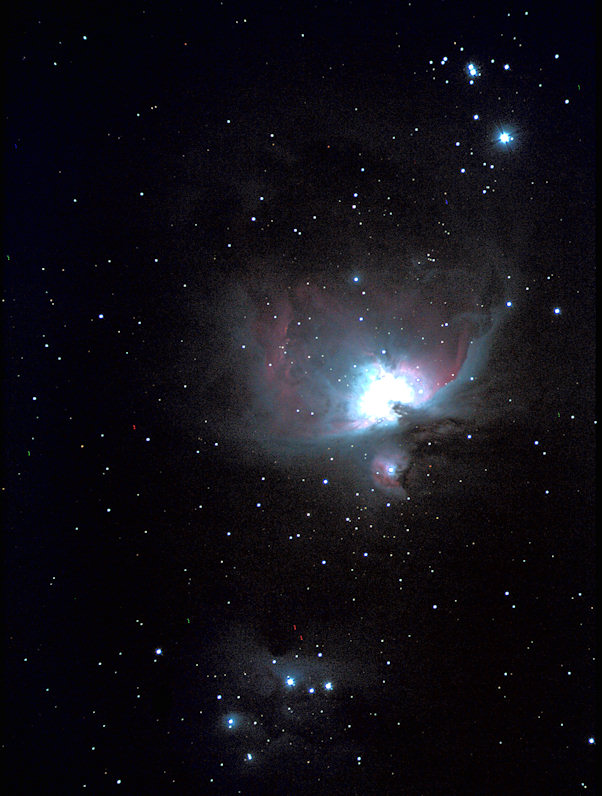
Orion M42, M43, and NGC1977 with Orion 102ED
Taken on 12/07/2008 at 2.45am – San Bruno, CA.
This picture was taken using the Orion SkyGlow Imaging Telescope Filters 2″. The background was definitely darker with the filter. Even though there are less pictures stacked than above with the Eon 72mm, the final result looks Ok and with more details than the shot taken with the Eon 72mm.
The picture is a stack of 4 frames of 164sec each with Canon XTi – 400 asa – processed with Max DSLR and Corel Paintshop. With Corel I used the “Histogram adjustment” and “Unsharp Mask” tools to increase contrast and brightness. The picture had to be slightly cropped but did not exhibit as much coma as with the Eon 72mm. I used the “Lasso” tool to selectively increase the brightness and contract of NGC 1977. I used the mount tracking (using a Sirius EQ-G) – no guidescope. I had to scrap 4 pictures out of 8 because either the tracking was not great or the focus was not good enough. The polar alignment has to be carefully done to take exposure of +160 seconds and does not guarantee well tracked images if you don’t use (as I did) a guidescope.
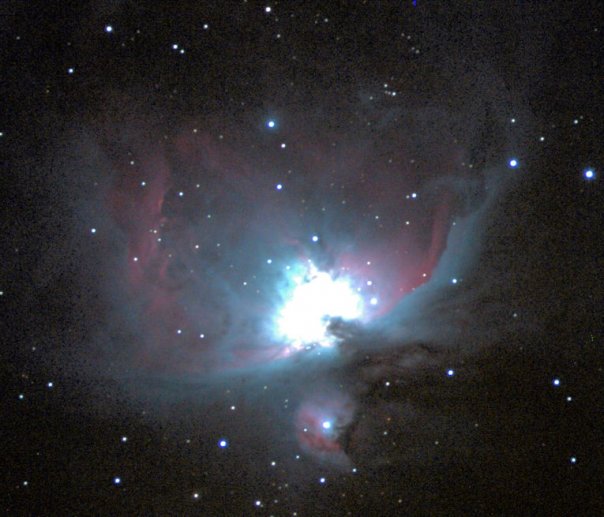
M42, M43 and NGC 1977 – Orion ED102
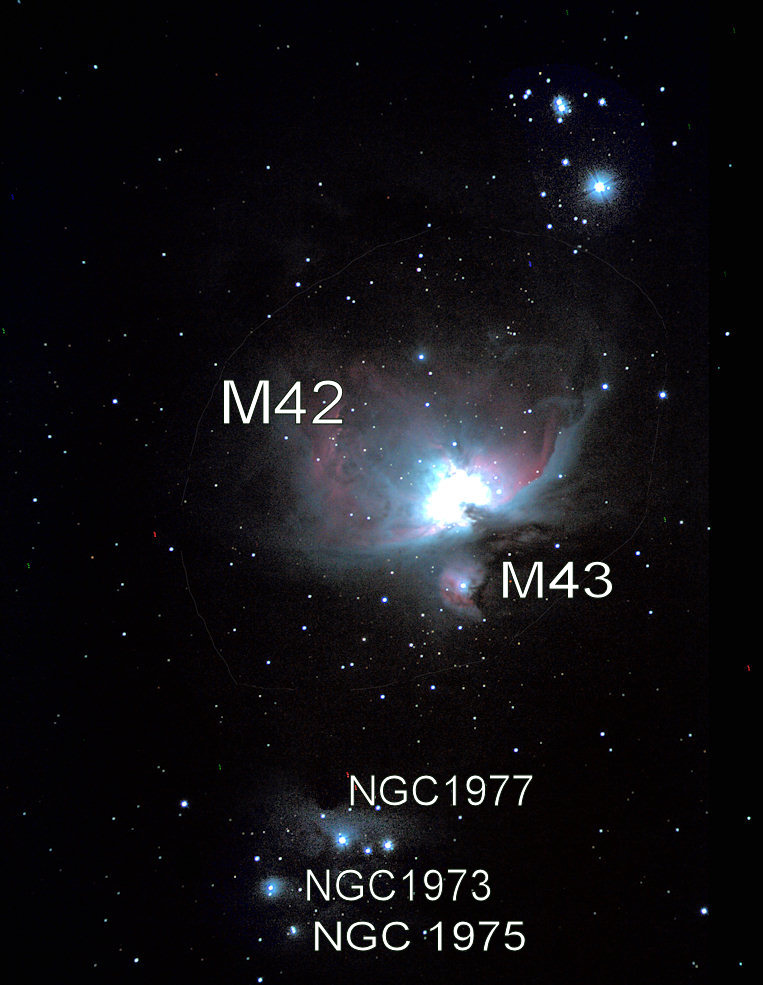
Same picture cropped – more details on M42 and M43.
Solar astrophotography
Posted in Astrophotography, Sun on November 26, 2008
With the home made solar filter I made with the baader solar film I took some pictures of the sun, with my Orion StarShoot Solar System Imager II and the Orion 102 premium refractor on the 11/15/208 at 11.15 am PST.
Solar activity is not great these days, making things more challenging … I can remember days where giant sunspot complex where visible with the naked eye.
Shooting the Sun with a Solar filter is not an easy task. Dust speckles on the digital camera show up as you can see here on the below picture – at the right of the sun spot.
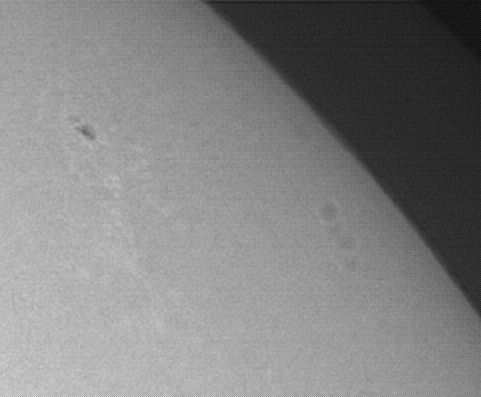
It is critical to take flat field pictures and use software like Max DSLR to substract the flat field image from the Sun spot pictures to get higher quality images.
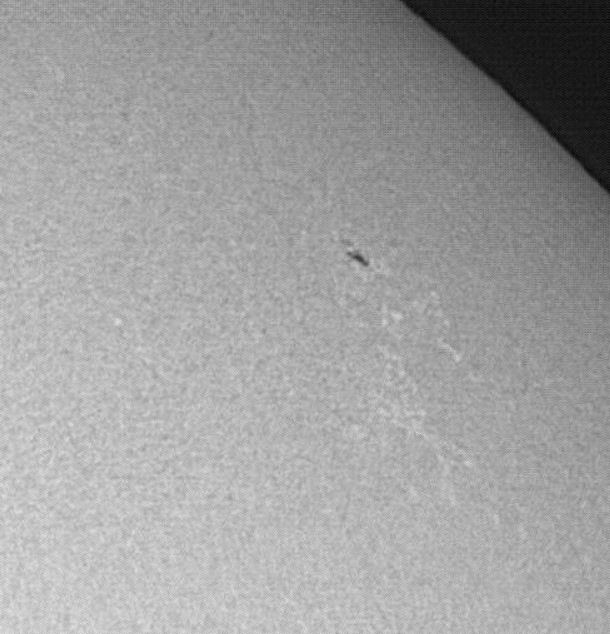
After image processing here is the result. Notice the granulae, sun spot, and faculae around the (small) Sun spot.
Home made solar filter using Baader Solar Film
Posted in Do it yourself on November 20, 2008
I had for some time the Orion 102ED premium refractor – and I was not able to find any ready made solar filter in the market to fit this scope including at the Orion’s stores.
I finally decided to buy a Baader solar filter film to build a solar filter. I ordered the baader solar filter film (A4 size) at the scope city web site.
I followed the instruction posted on the Baader planetarium web site. I was very pleased with the result – the visual observation exceeds whatever I saw with glass filters on same or larger scopes and this for one fourth of the price I paid for glass filters!! . I had also extra film left to build filters for my guide scope and finder scope.
I bought the Visual solar film (it comes in two flavors – for visual observation and for Astrophotography). But I was able to use the visual solar film for both visual observation and astrophotography. I’ll post solar pictures I made with this setup very soon.
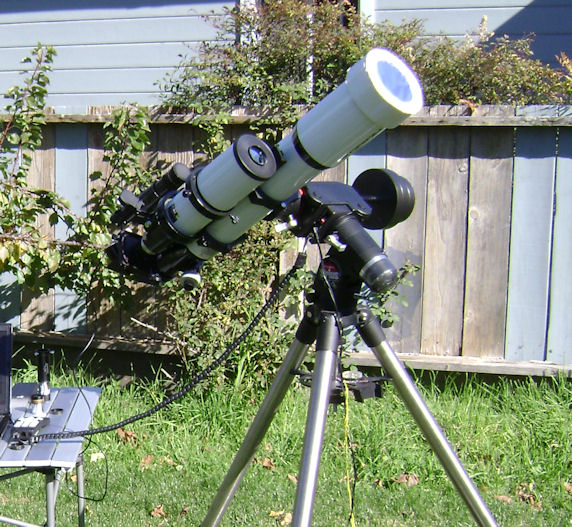
Here is a picture of the whole setup – the 102ED premium refractor and home made solar filter with the Baader solar film …
 Astrophotography in Urban Environment
